Using Feature Flags Across the Entire Organization - Shareable Segments
Prerequisites:
- Readers should have a basic understanding of feature flags (opens in a new tab).
- Readers should have created a feature flag (opens in a new tab) for release.
Context
In medium- to large-sized companies, multiple projects can serve different purposes yet rely on the same internal teams and customer segments.
For example, an online store may develop two initiatives targeting "Frequent Bulk Buyers":
- A Bulk Buyer Express Checkout for quicker large orders
- An Inventory Forecast & Auto-Replenishment feature to prevent stockouts.
When releasing the features, both projects involve the:
- Same QA teams (familiar with bulk-buyer workflows) to test the features in production.
- Same customer segment of Frequent Bulk Buyers as early rollout users for testing and providing feedback.
This illustrates the concept of 'Same Audience, Different Projects,' effectively leveraging a shared customer segment to make feature flag release management more consistent and team-friendly.
FeatBit, as an open-source feature flag service (opens in a new tab), not only helps projects release new features safely through testing in production and canary rollouts but also enables product and development teams to share the same customer segments for seamless target audience management.
Practice
This section will show you how to use FeatBit to manage feature flags across the entire organization.
Add global users
Global users are end-users defined in workspace (an organization level). It can be configured in the Workspace -> Global Users page.
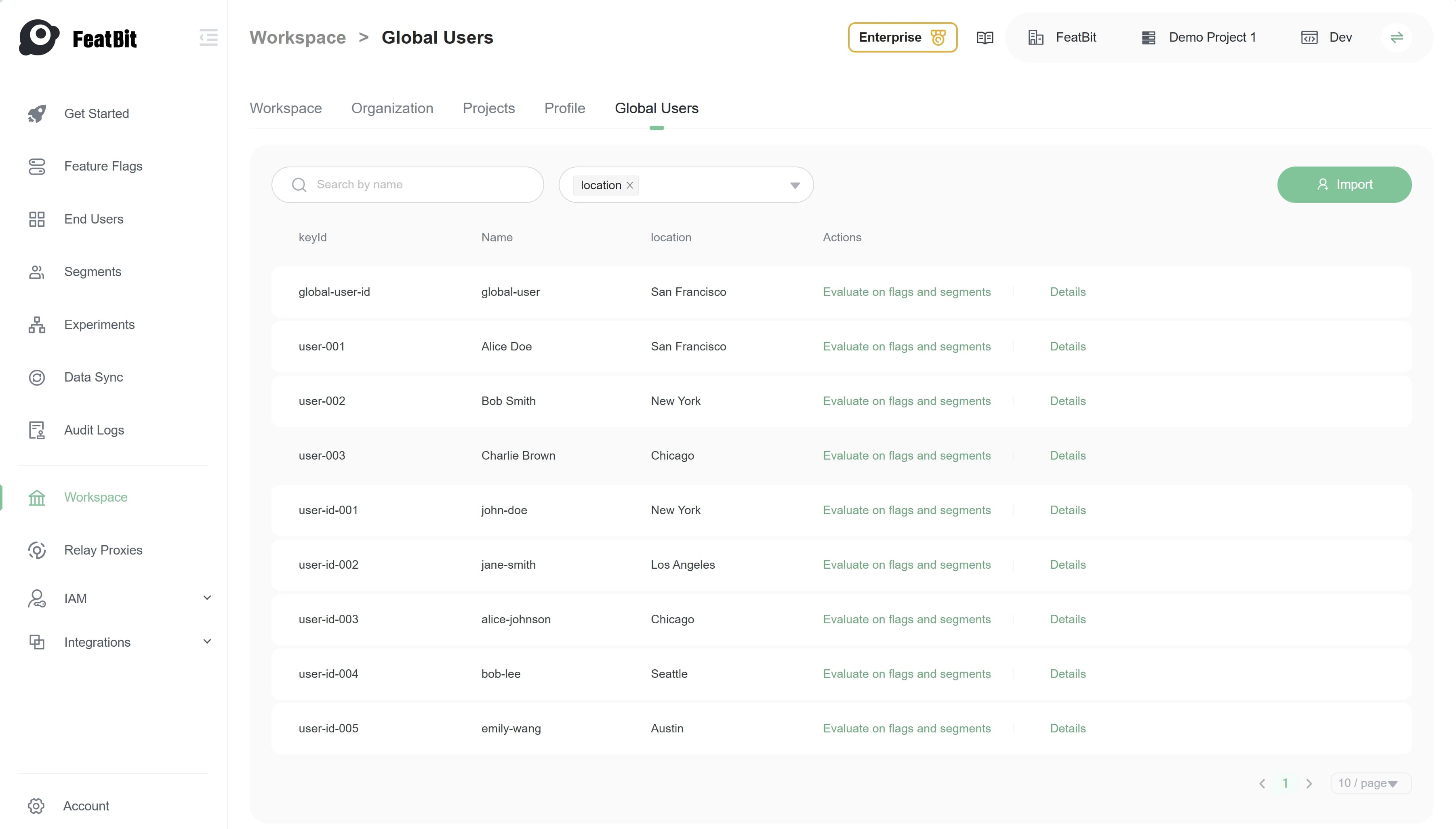
Click 'Import' button to import global users from a json file.
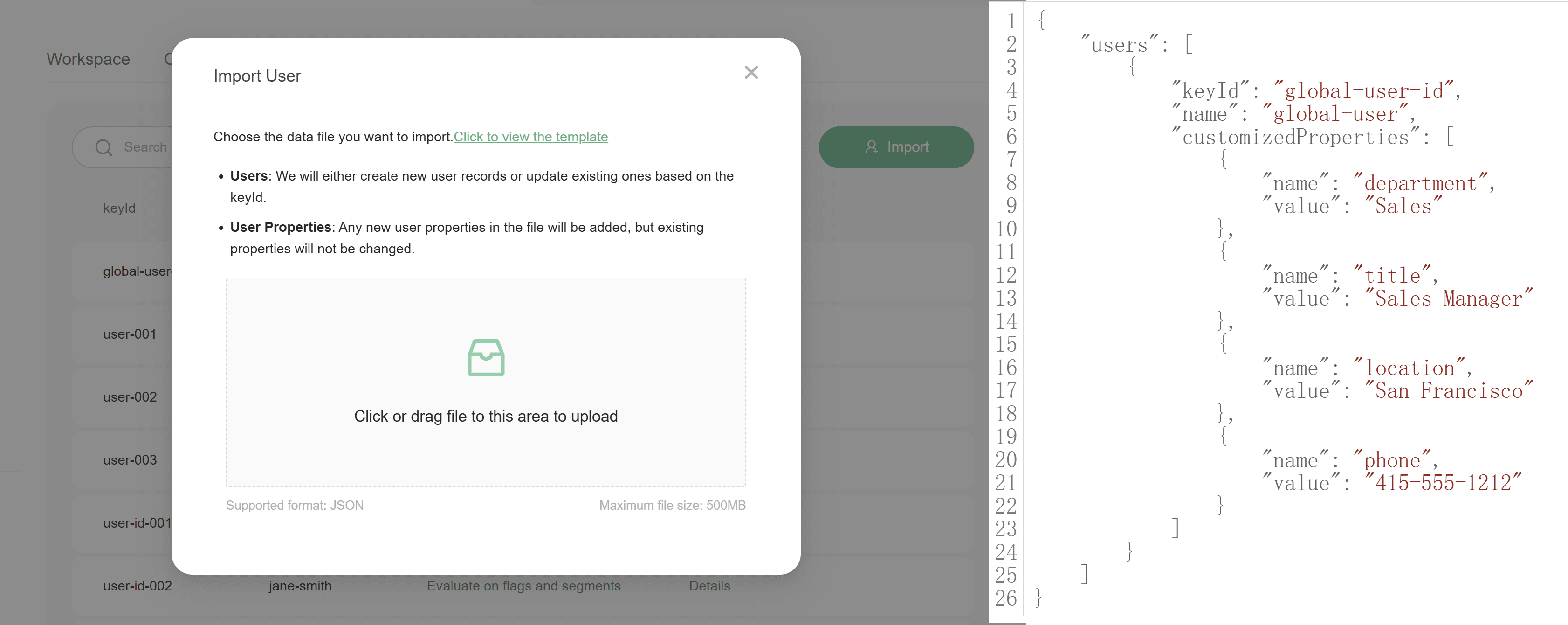
Add a shareable segment
You can add a shareable segment in any environment of a project.
Switch to the Segments page, click Add button. Choose Shareable segment type.
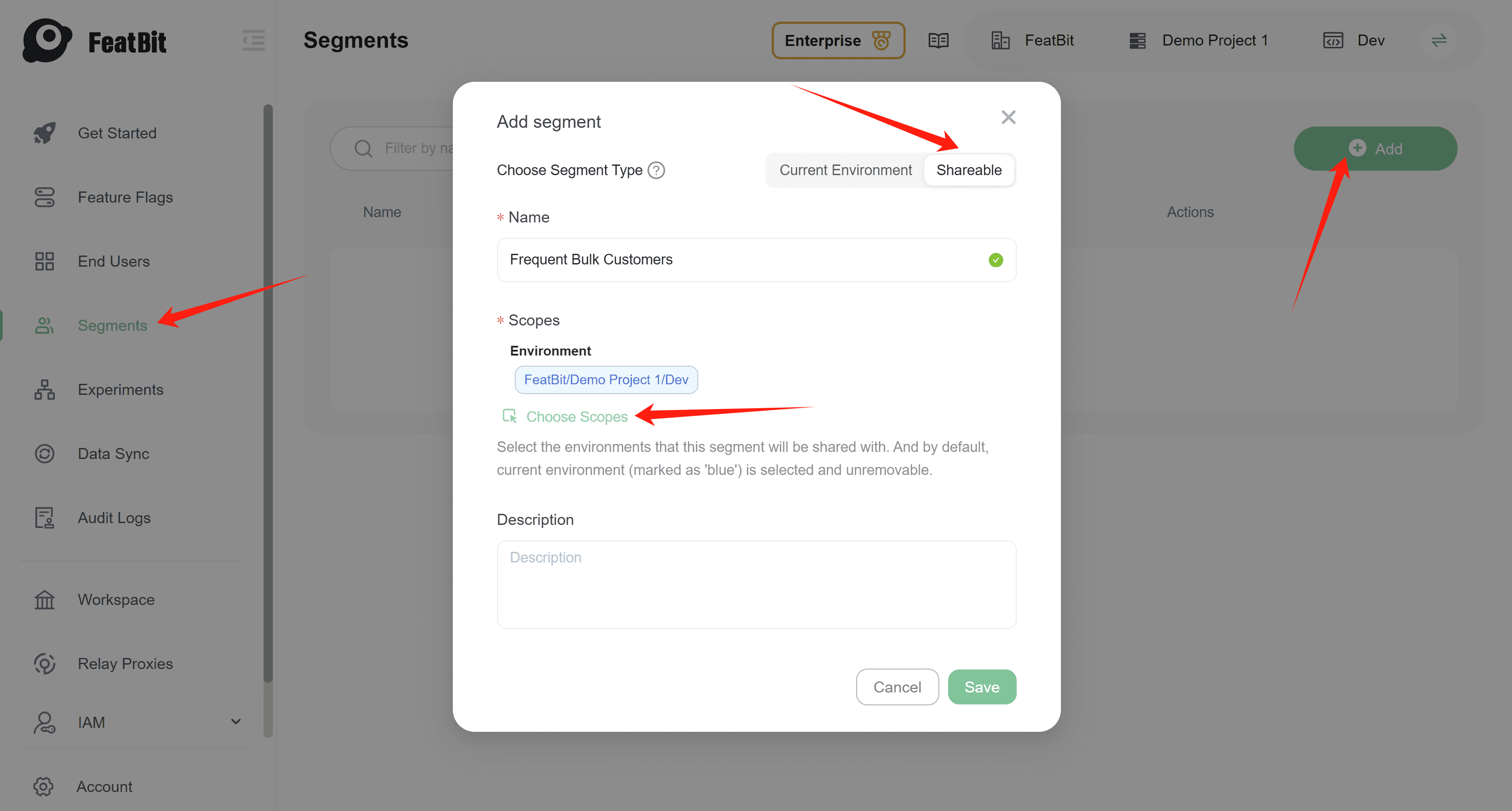
Assign a name to the segment and define its environment scope. A shareable segment can be used from one environment within a project to multiple environments in other projects. You can also add whole organization as the scope of the shareable segment.
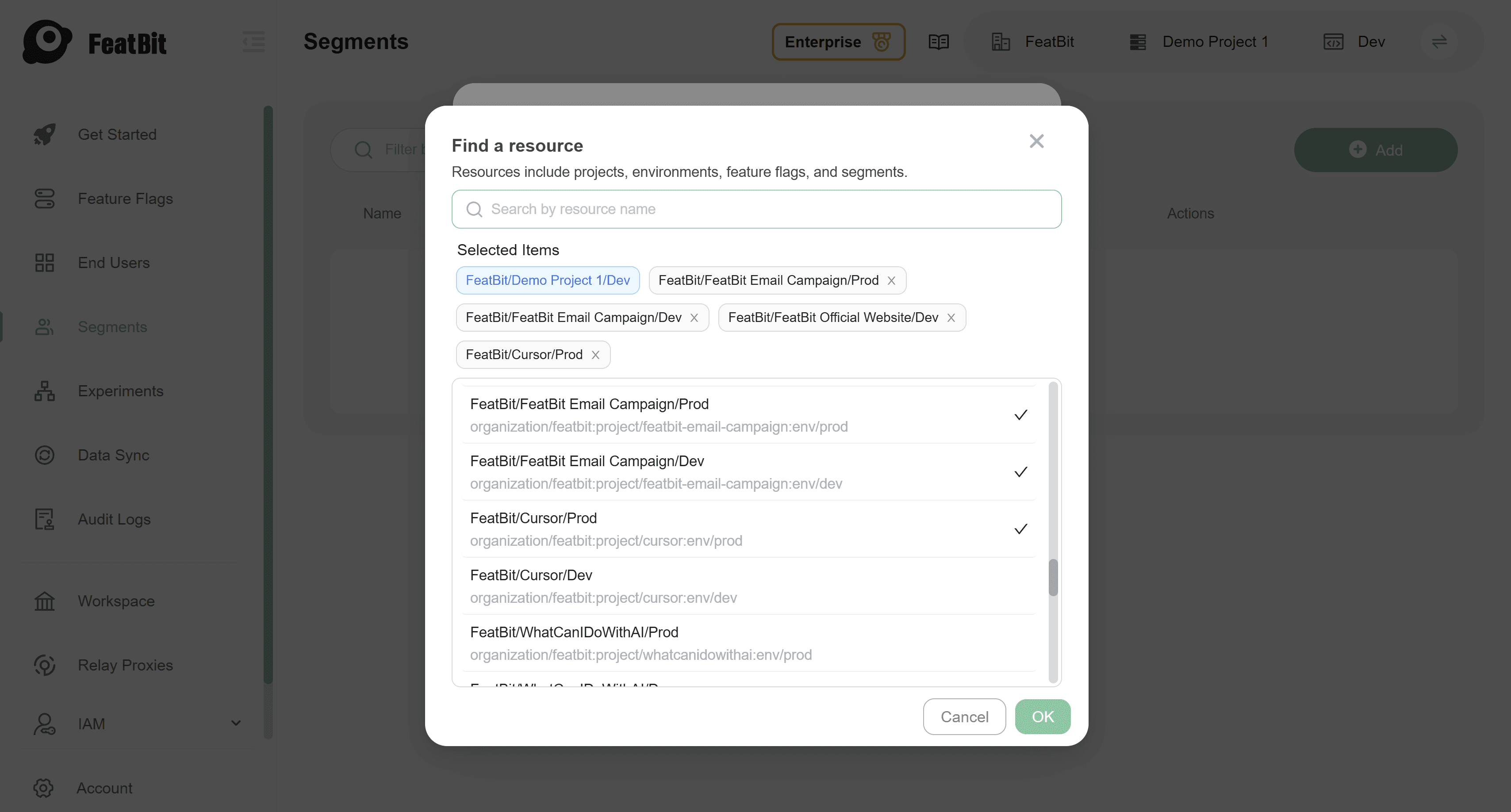
Click OK and Save.
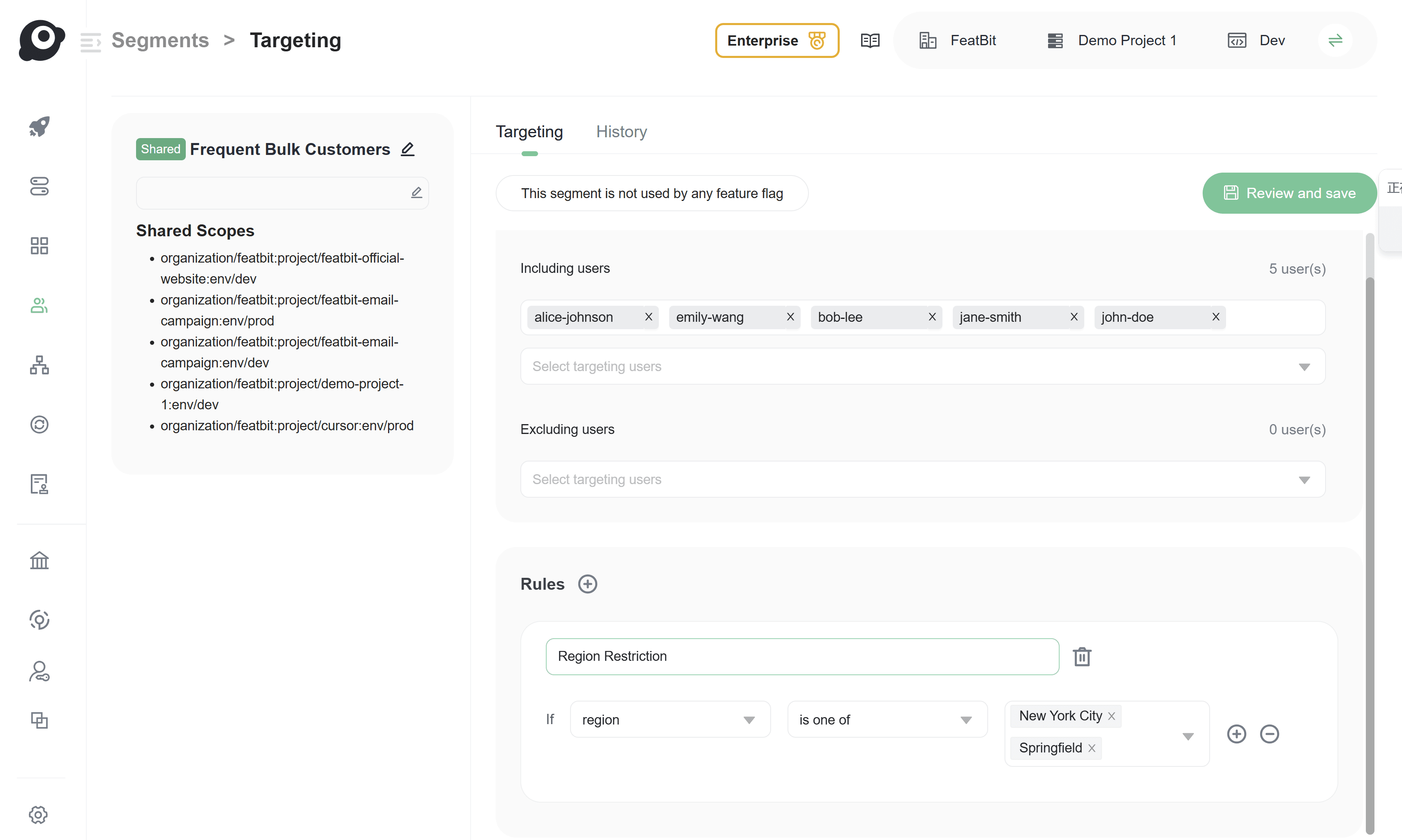
Add global users to the shareable segment
There is no difference between the configuration of a normal segment (opens in a new tab) and a shareable segment. You can add global users to a shareable segment in the same way you add environment-specific end-users to a normal segment. Additionally, you can define rules for a shareable segment just as you would for a normal segment.
Use the shareable segment in a feature flag
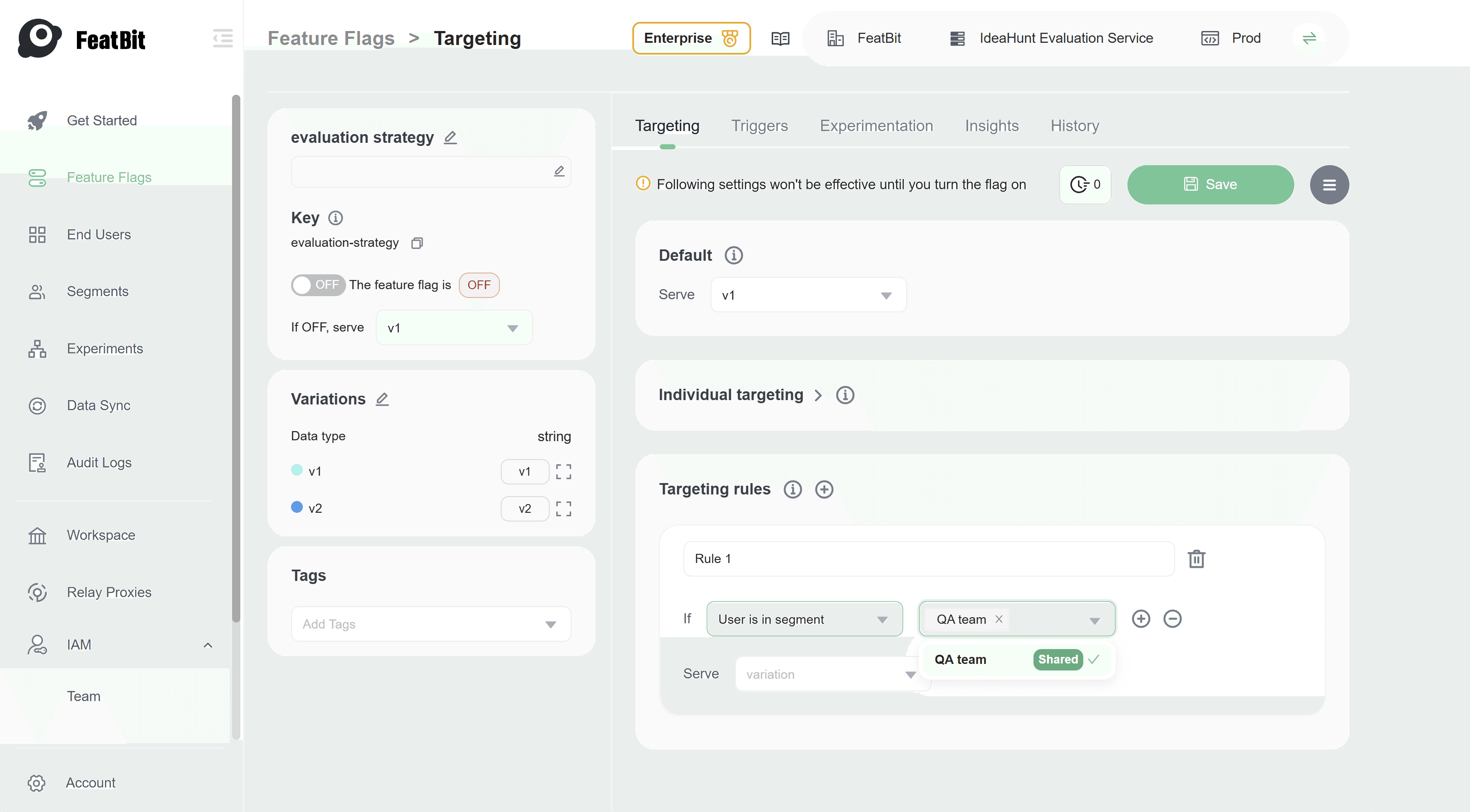
In a feature flag configuration page, you can select the shareable segment as the target audience in a targeting rule. It has no difference from selecting a normal segment.
Conclusion
FeatBit allows you to define global users and shareable segments in the workspace level, and use them in feature flags across the entire organization. This practice helps you manage feature flags more efficiently and ensures that the same feature is tested and released across different projects and environments.
That's all for this practice. If you have any questions, please feel free to contact us.